

Track treatment payments and close the cash drawer
Check treatment progress, record received payments and reconcile the cashier shift.
By ClinBeam · Practical product workflow guidance
You are done when payments are recorded against the correct balance and the closed shift shows the counted cash and any variance.
Where to work: Treatment plans · Financial controls · Cashier shift · Cashier · clinician for treatment stages
Before you start
- A treatment plan or invoice for the correct patient.
- Verified receipt of each payment and an agreed installment schedule.
- Billing permissions and an open shift when your collection workflow requires one.
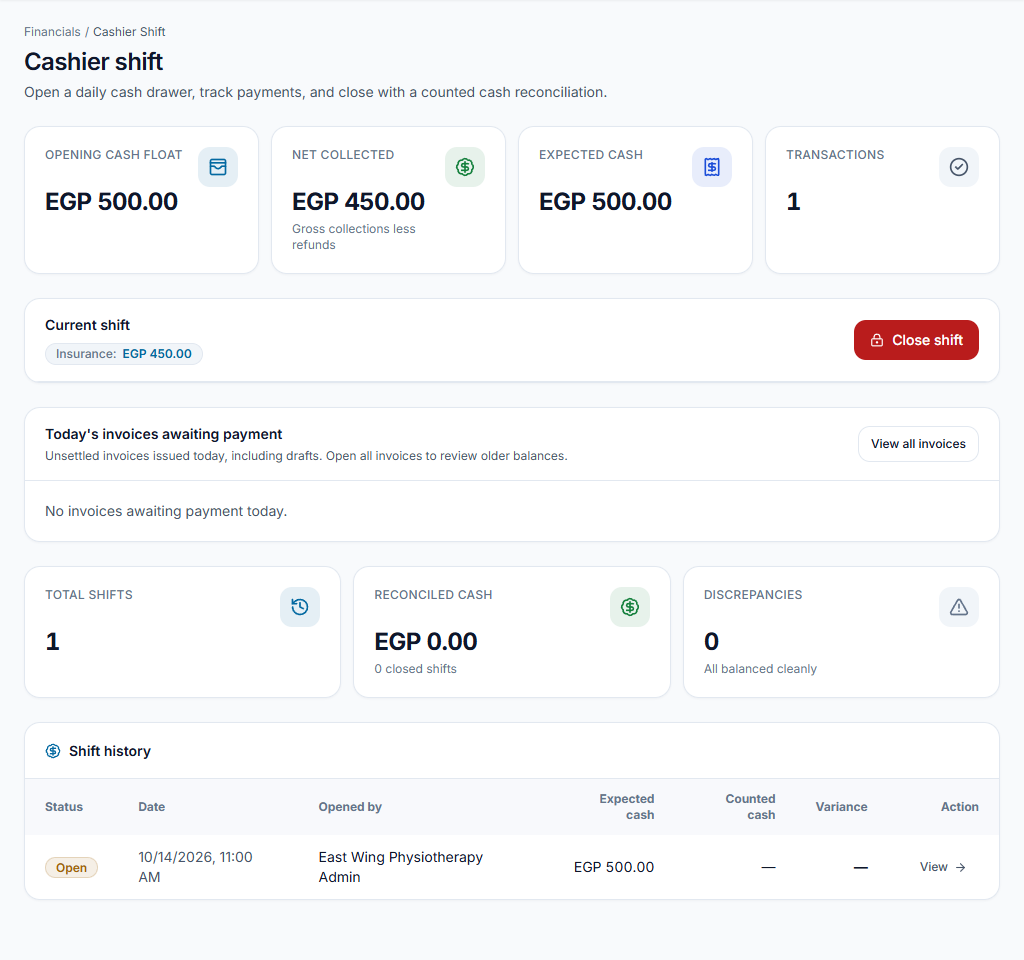
Open the cashier shift
In Cashier shift, enter Opening cash float: the cash already in the drawer before collections. Add an opening note if needed, then choose Open cashier shift.
Check the result An open shift appears with its opening float. The float is not patient revenue.
Review treatment, invoice and installments
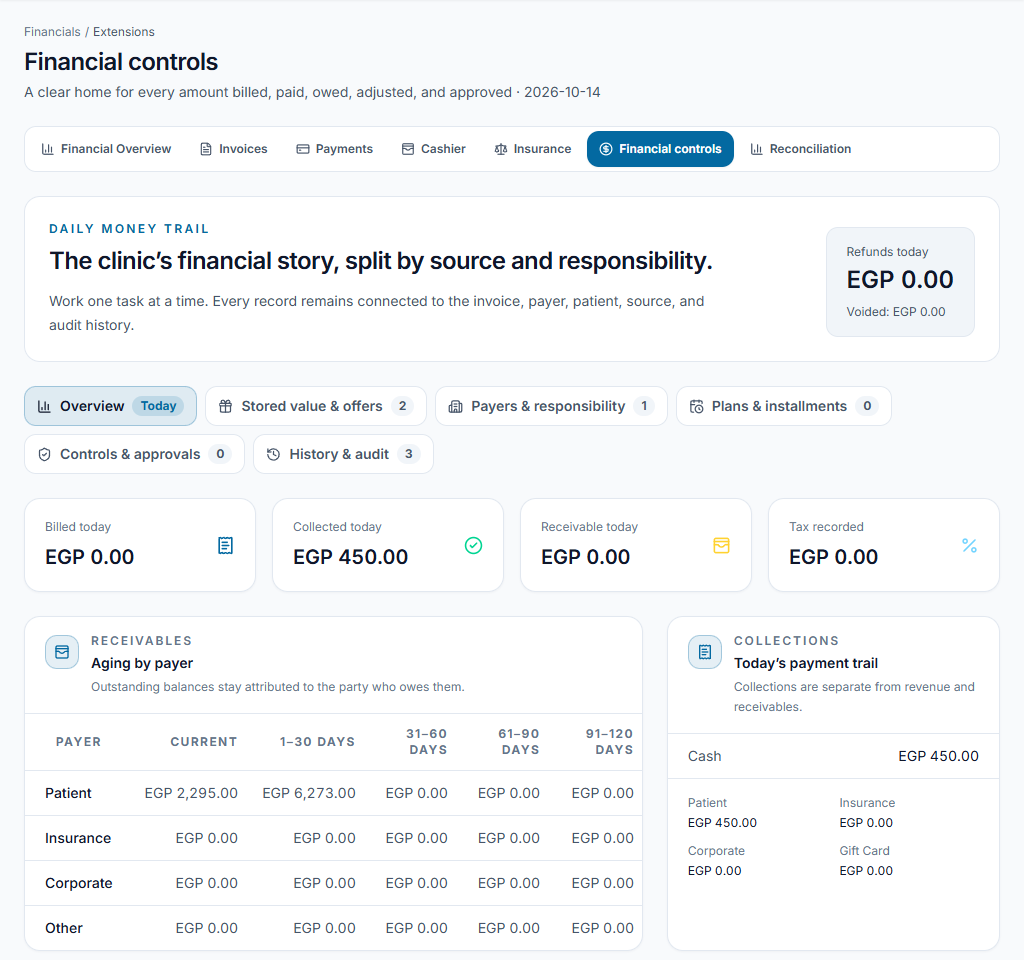
The clinician updates treatment stages. Review the patient invoice total, received payments and balance. When enabled, use the Installments area in Financial controls to select the eligible invoice and enter the agreed schedule; review amounts and due dates before saving. Book treatment appointments separately.
Check the result Clinical progress, invoice balance and due installments remain distinct. A completed treatment stage is not proof of payment.
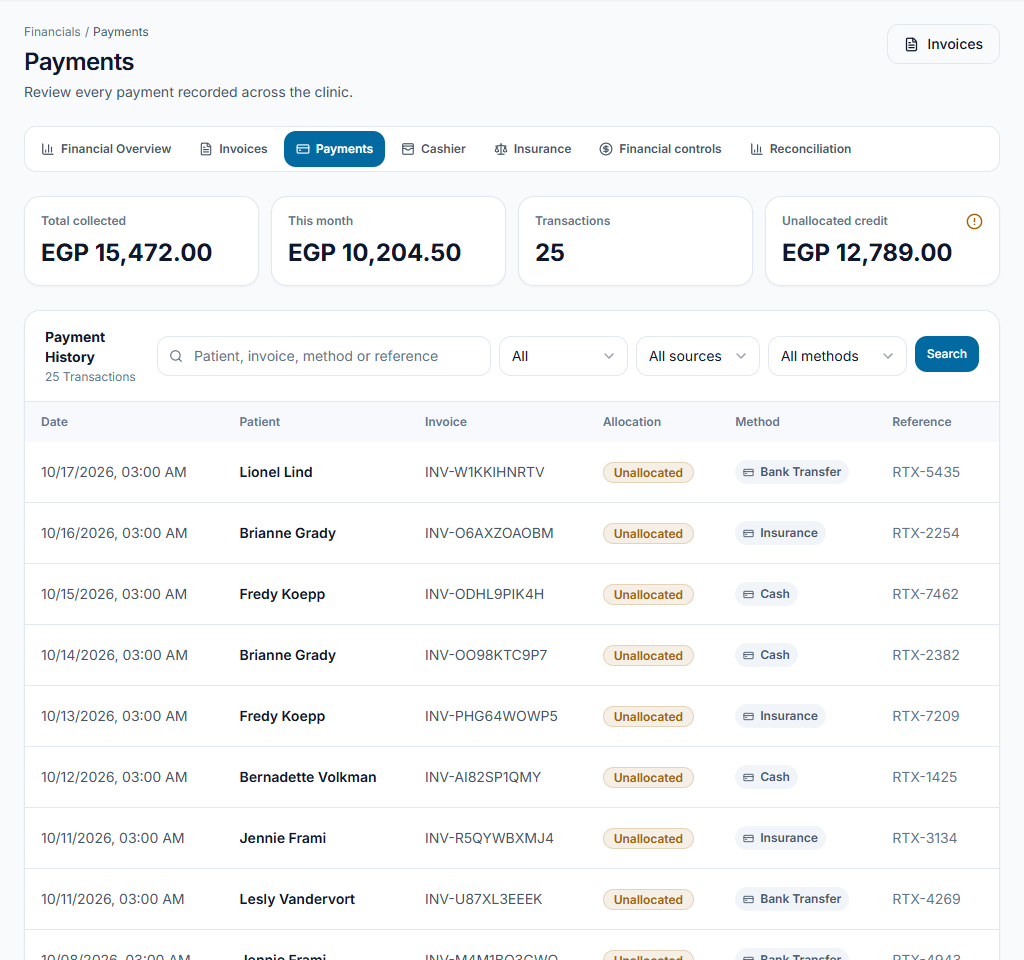
Record the received payment
Use the patient payment or installment-payment form. Select the actual amount and method, and check the associated patient/invoice. Recording a card or transfer payment does not charge the card or verify a bank transfer.
Check the result The received amount and remaining balance update. Review the record or receipt before entering another payment.
Count cash and close the shift
Count the physical cash. In the close-shift form, enter Counted cash and a note explaining any difference. Review the variance before confirming closure. Card and transfer amounts are not cash in the drawer.
Check the result The closed shift records expected cash, counted cash and variance.
Invoice balance is not drawer cash
An EGP 1,200 invoice and a verified EGP 400 cash payment leave EGP 800 due. With EGP 500 opening float and no other cash movements, drawer cash is EGP 900. A separate EGP 300 card payment reduces the patient balance to EGP 500 but does not add cash to the drawer.
Something not working?
Drawer cash does not match invoice totals
Compare cash movements and opening float, not all invoice totals. Other payment methods are recorded separately.
A payment was entered twice
Review both records with authorized billing staff. Use the appropriate void/refund/correction workflow; do not invent an offsetting payment or change clinical progress.
I cannot close the shift
Check the shift is open, review form errors and confirm your account can close it. Ask the administrator to review access if needed.
Team checklist
- Opening float recorded.
- Correct patient/invoice and verified method.
- Balance and due dates reviewed.
- Physical cash counted; differences explained.