

Find the right information in the patient workspace
Review the patient timeline, medical history and linked records without losing context.
By ClinBeam · Practical product workflow guidance
Complete the steps below and check each recorded result before moving to the next workflow.
Where to work: Patient workspace → Medical history · Clinician / Reception
Before you start
- Correct patient identity, record access and confirmed history from the patient.
- The selected clinic and record are correct.
- The module and required actions are available to your account.
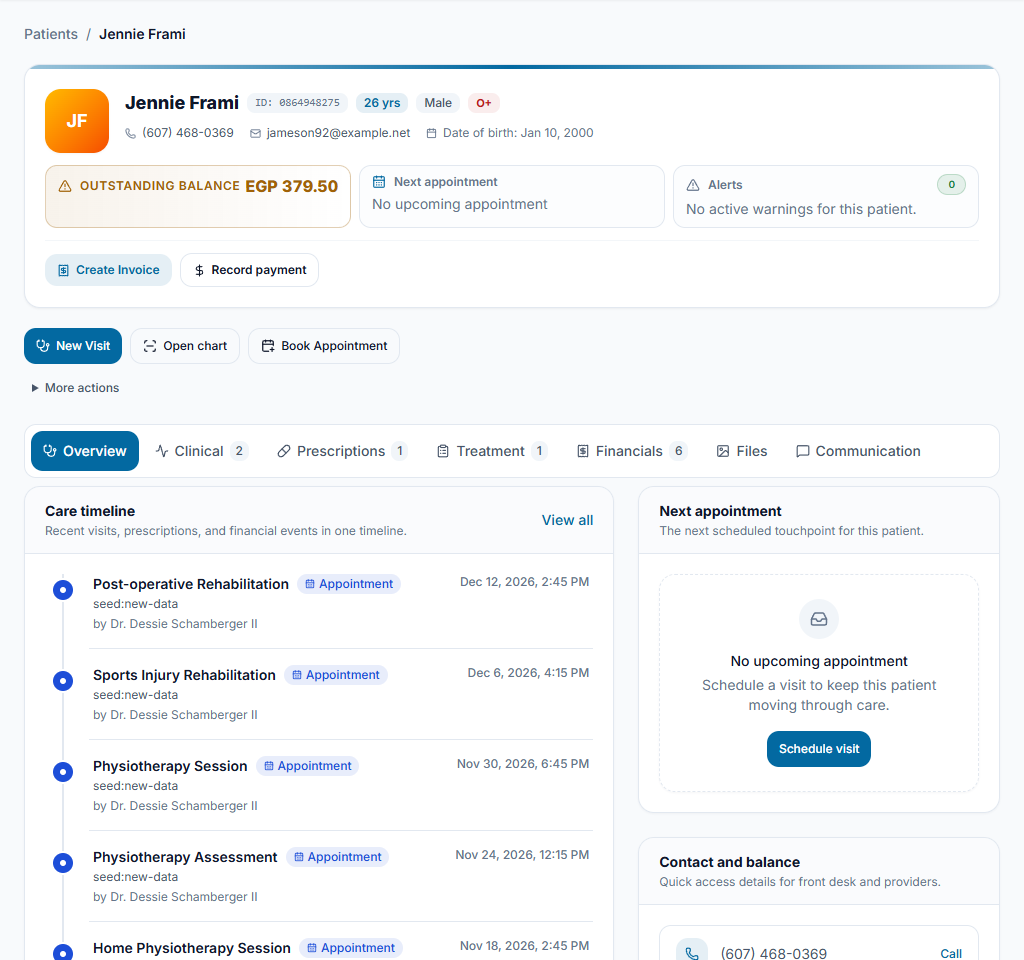
Start with the overview
Confirm the patient name and identity in the workspace. Review the next appointment, attention indicators and the recent timeline before opening a clinical or financial record.
Check the result You know which patient and visit you are reviewing.
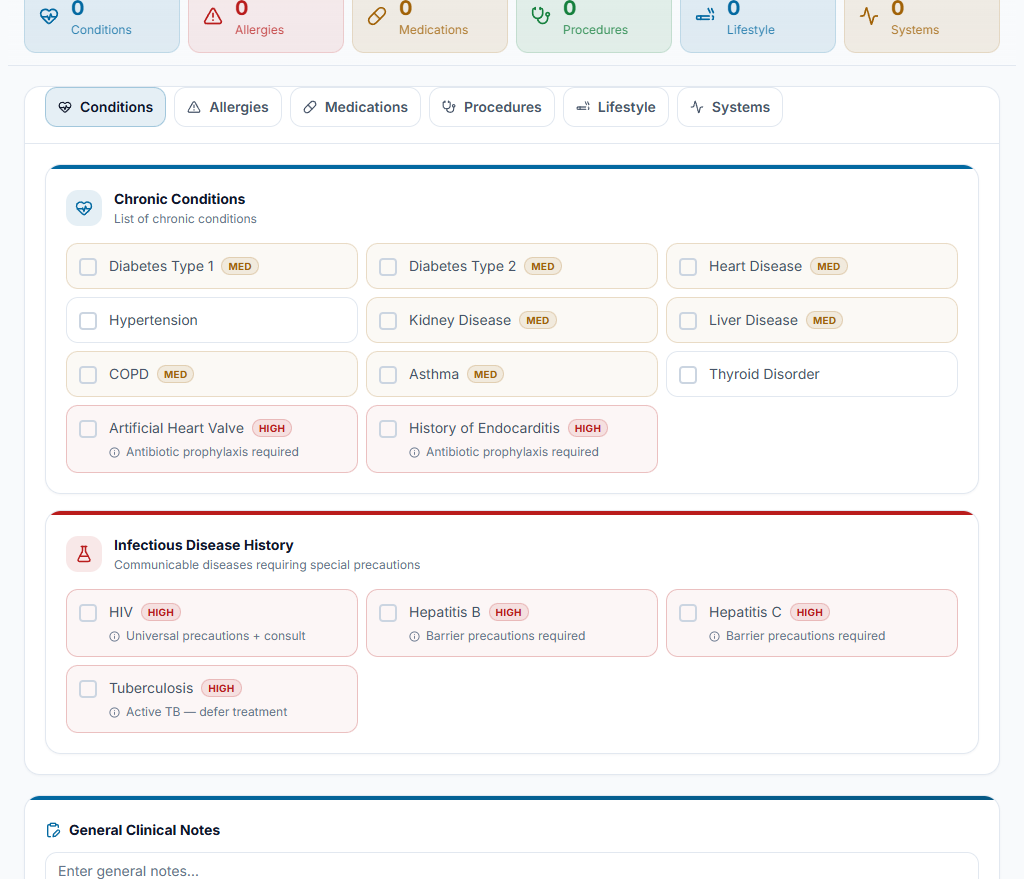
Review and update history
Open Medical history and review recorded conditions, allergies and other answers. Confirm changes with the patient and save only information you have verified. Unknown is different from a confirmed negative answer.
Check the result Recorded answers reflect the discussion; important warnings remain visible.
Open the relevant record
Use the workspace sections to open visits, prescriptions, treatment, invoices, documents or images. Return to the workspace to continue reviewing the same patient rather than searching again.
Check the result The linked record belongs to the same patient and clinic.
Worked example
Before a follow-up, review the last visit and allergy history, then open the treatment plan. An empty history answer still needs confirmation.
Something not working?
An attention count is still visible.
Open the named item and resolve its actual missing information or pending work. Viewing it alone does not complete it.
The screen or action is unavailable.
Ask the clinic administrator to check your role, individual permissions, clinic context and enabled modules. Do not use another person’s account.
Team checklist
- You know which patient and visit you are reviewing.
- Recorded answers reflect the discussion; important warnings remain visible.
- The linked record belongs to the same patient and clinic.