

Move a patient from reception to the doctor
Find the appointment, record arrival, check in and hand the patient to the clinician.
By ClinBeam · Practical product workflow guidance
You are done when the patient is in the correct queue stage and the next responsible team member can continue the visit.
Where to work: Front Desk · Reception team
Before you start
- The correct patient, appointment date, service and clinician.
- Configured rooms if your workflow assigns rooms.
- Permission for the action you need to perform.
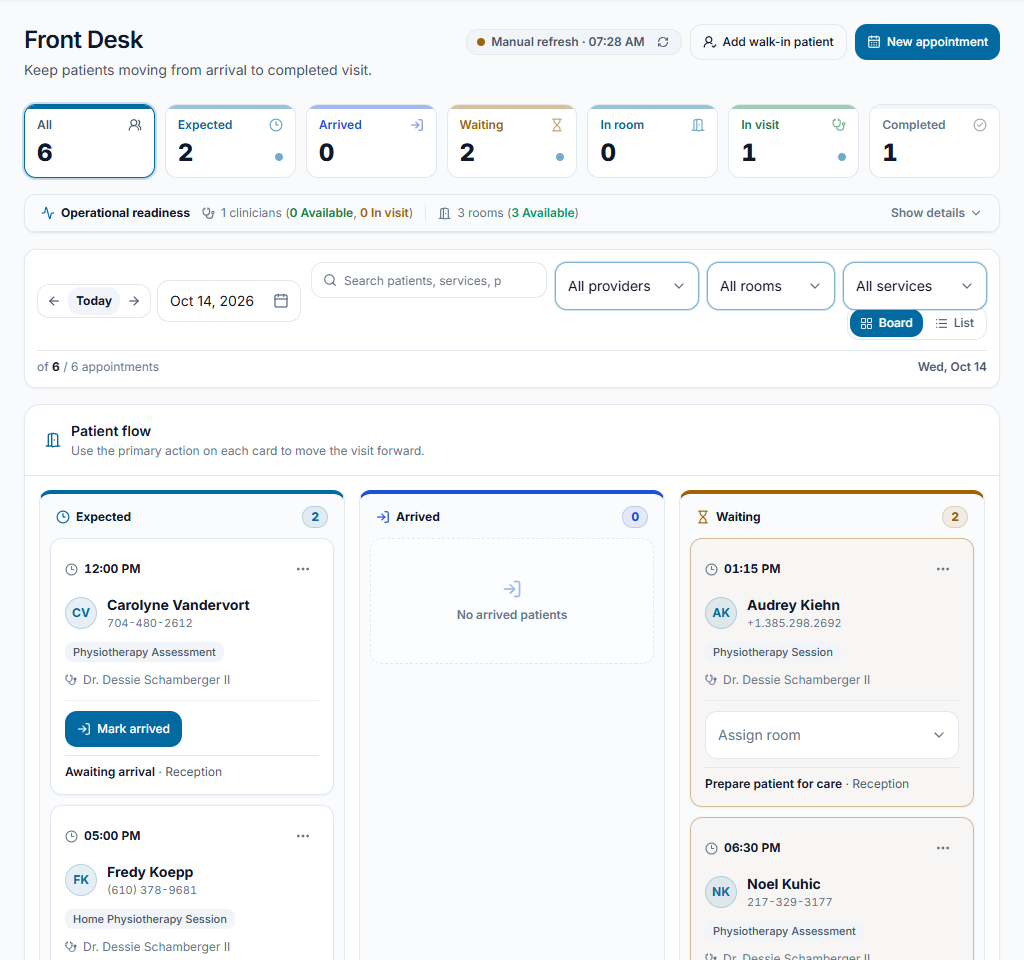
Find the appointment
Open Front Desk, select the visit date and search for the patient. Review their name, clinician, service and appointment time. Use New appointment or Add walk-in if no visit has been booked.
Check the result The correct appointment row is visible. Creating a patient record alone does not book a visit.
Record arrival, then check in
When the patient is physically at reception, choose Mark arrived. After reception checks, choose Check in. A phone confirmation is not an arrival.
Check the result The appointment moves from Expected to Arrived, then Waiting. These are separate recorded events.
Assign the room and notify the clinician
If Assign room is shown, select the appropriate room. Complete any nursing preparation, then use Notify clinician when the stage and your permissions allow it.
Check the result The visit progresses to the ready/room stage. The available next action depends on the clinic workflow and permissions.
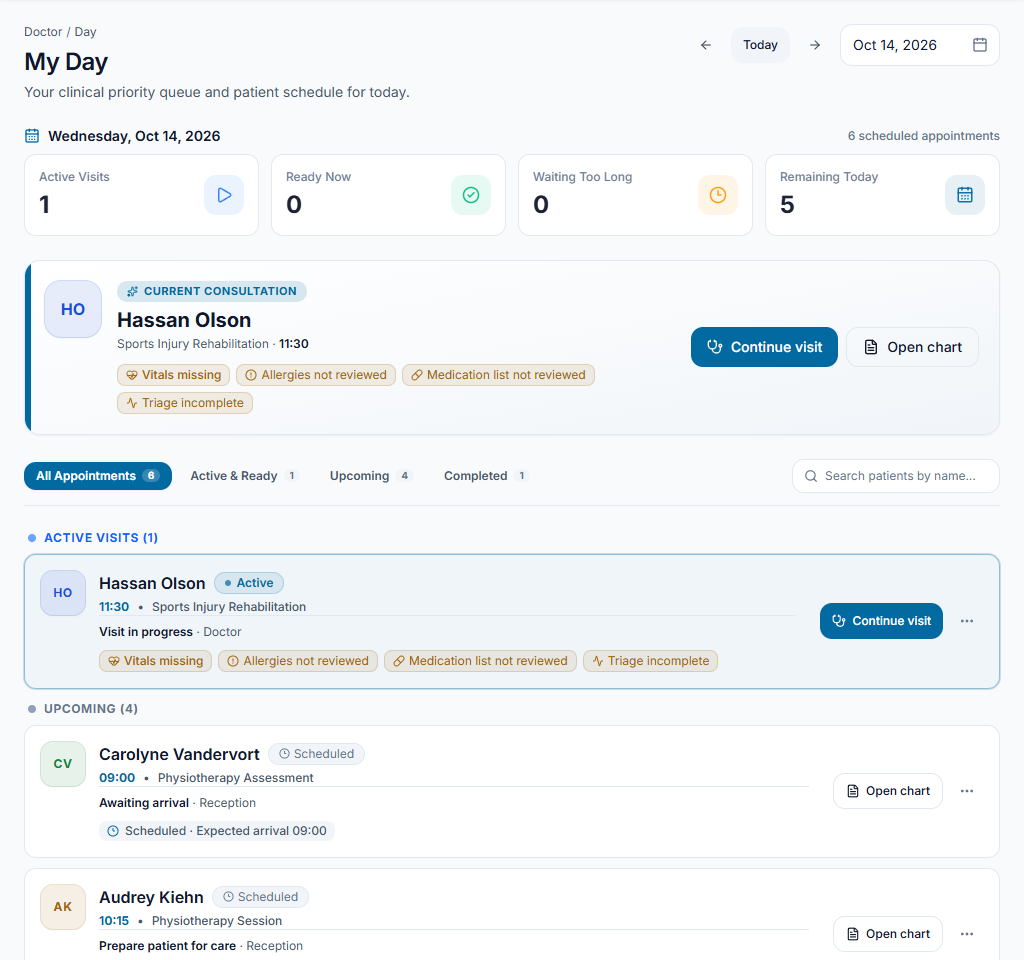
Hand the consultation to the clinician
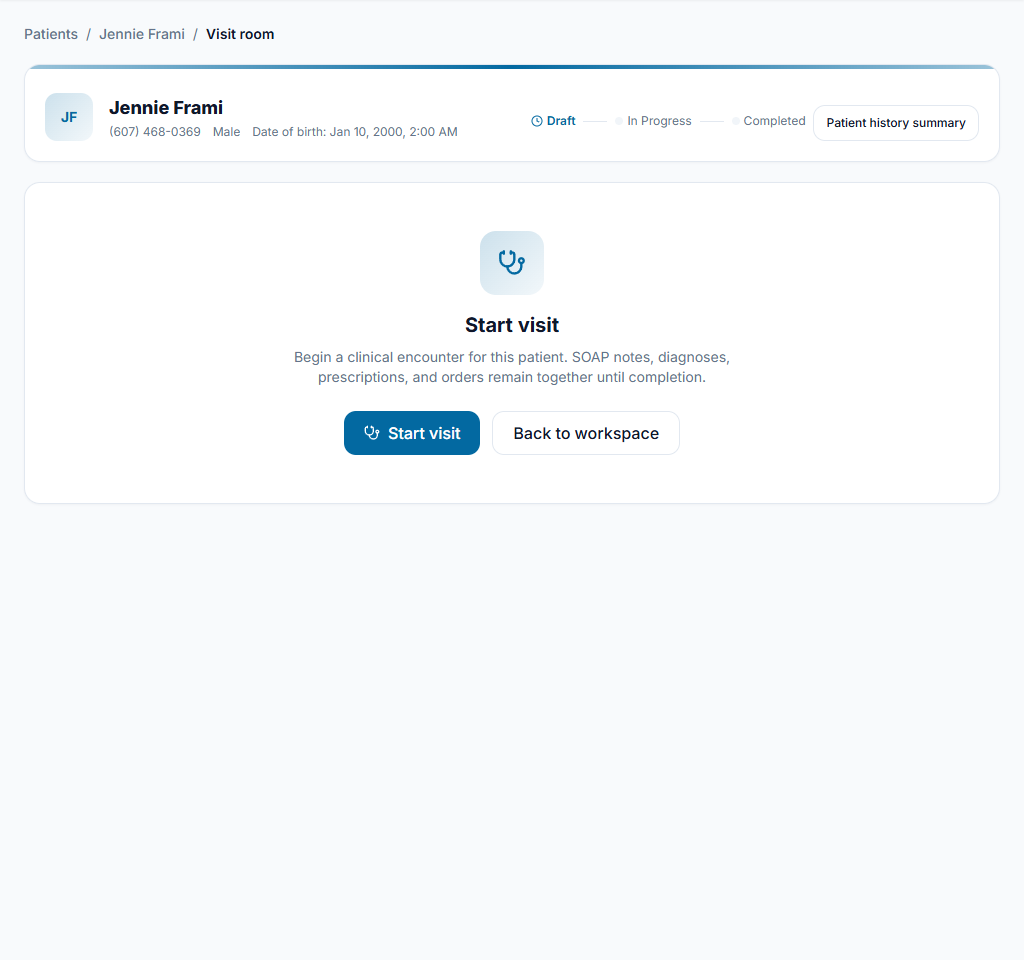
The authorized clinician chooses Start Visit. Reception monitors the queue without entering the doctor’s notes or marking unfinished clinical work completed. At day end, review unresolved appointments and follow the clinic’s cancellation/no-show procedure.
Check the result The visit appears in In visit. Recorded queue stages reflect what actually happened in the clinic.
Mariam arrives for an 11:30 appointment
At 11:20, record Mark arrived. After reception checks, use Check in. Assign an available consultation room and Notify clinician after preparation. The doctor starts the visit. Do not mark Mariam arrived just because she confirmed by phone.
Something not working?
The patient is missing
Check the selected date and clear provider, room and service filters. Confirm a visit was actually booked.
The next action is missing
Check the current stage and any room/preparation requirement. Ask the administrator to review permissions; do not create a duplicate appointment to bypass the workflow.
No room is available
Review configured rooms and current assignments with the team. Do not assign a room still in use just to clear the queue.
Team checklist
- Correct appointment selected.
- Arrival and check-in recorded at the right time.
- Preparation and room assignment complete where required.
- Clinician started the visit; unresolved appointments reviewed.