

Invoice a patient, record payment and check the receipt
Review billable items, allocate received money and verify the remaining balance.
By ClinBeam · Practical product workflow guidance
Complete the steps below and check each recorded result before moving to the next workflow.
Where to work: Patient financials / All Bills → Payments · Cashier / Clinic administrator
Before you start
- Confirmed billable services, actual payment evidence and an open shift when required.
- The selected clinic and record are correct.
- The module and required actions are available to your account.
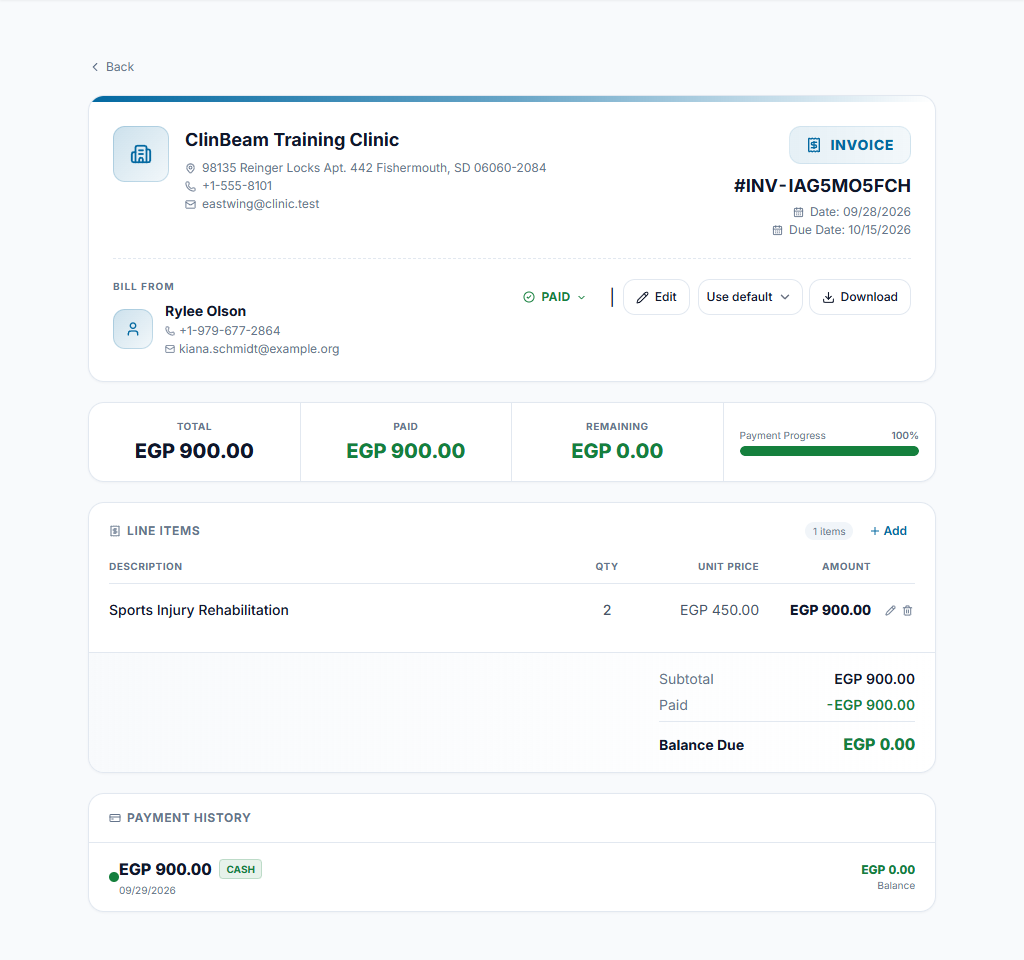
Review the invoice
Open the patient's financial records and review the invoice's patient, items, quantities, prices and status. Create or add eligible billable items using the invoice controls; avoid billing the same procedure twice.
Check the result The invoice total matches the work being billed.
Record received money
Choose the appropriate payment form and enter the actual amount, method and reference. Review allocation to the invoice. Card/transfer records track verified receipts; selecting a method does not process a card or confirm a bank transfer.
Check the result A single payment is recorded against the intended balance.
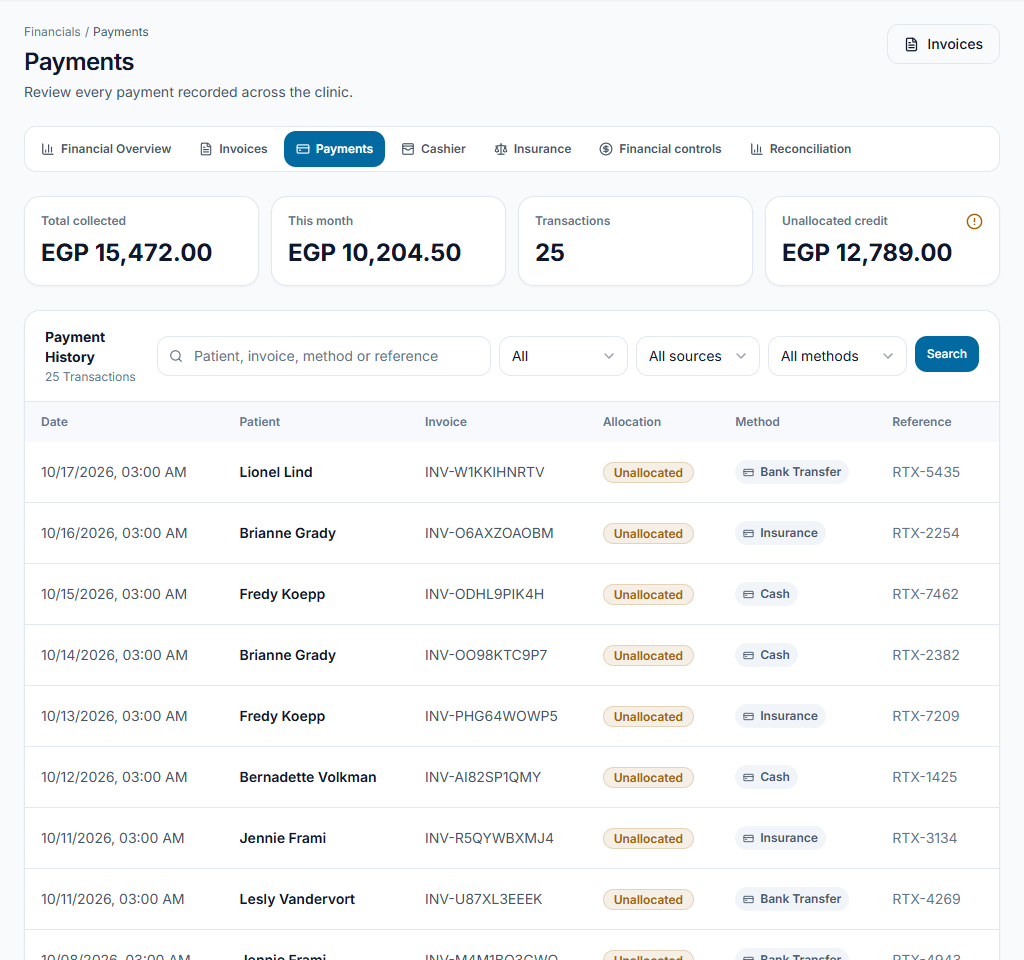
Check balance and receipt
Review payment details/receipt and the updated paid/due amounts. Use the receipt/PDF controls for the intended transaction. A receipt is not a replacement for resolving a mistaken payment or incorrect allocation.
Check the result The patient balance and receipt agree with the recorded transaction.
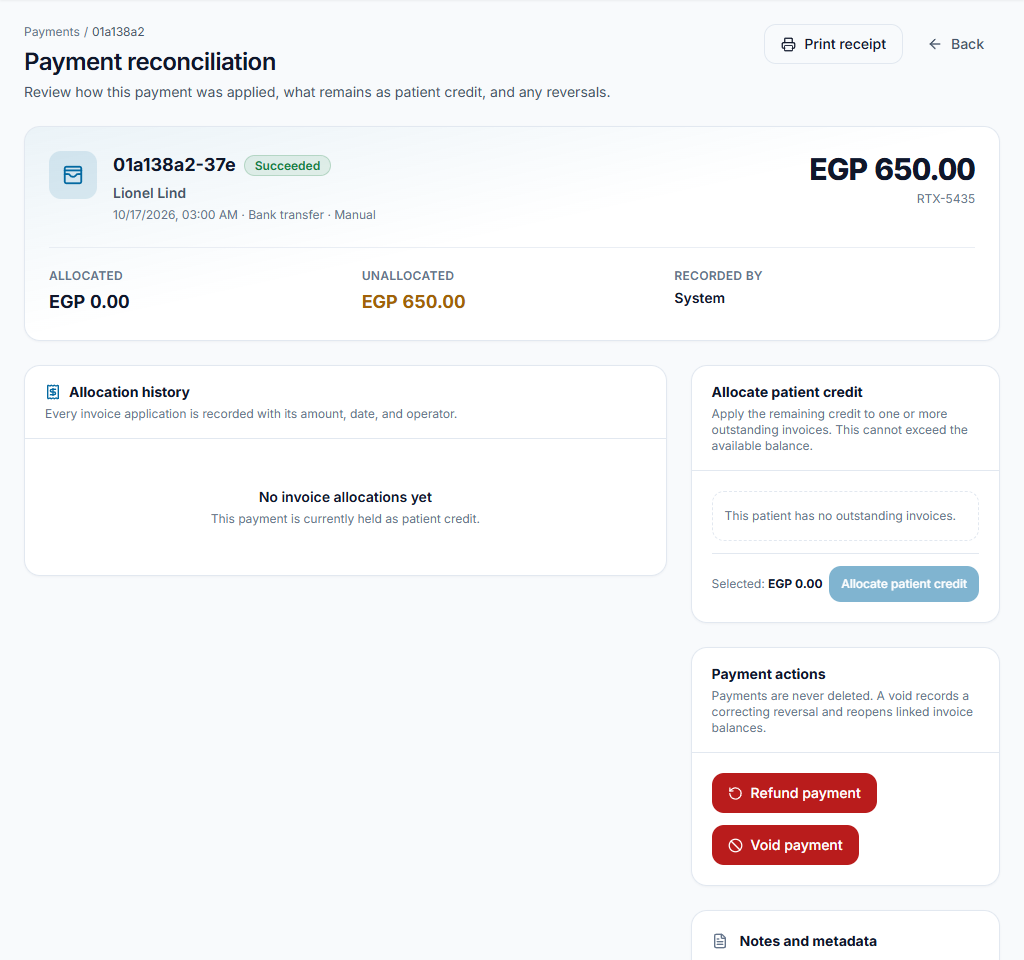
Worked example
A 1,200 invoice receives 400 cash. Verify a 400 receipt and an 800 remaining balance; the unpaid portion is not cash in the drawer.
Something not working?
The balance did not change as expected.
Review invoice allocation, payment status and method. Check the existing record before entering another payment.
The screen or action is unavailable.
Ask the clinic administrator to check your role, individual permissions, clinic context and enabled modules. Do not use another person’s account.
Team checklist
- The invoice total matches the work being billed.
- A single payment is recorded against the intended balance.
- The patient balance and receipt agree with the recorded transaction.