

Assign unfinished work and close the clinic day
Resolve operational blockers and record a clear end-of-day handoff.
By ClinBeam · Practical product workflow guidance
Complete the steps below and check each recorded result before moving to the next workflow.
Where to work: Tasks → Operations → Clinic Day Close · Clinic administrator / Reception / Cashier / Clinician
Before you start
- Team responsibilities agreed, actual visit/task status and cashier reconciliation.
- The selected clinic and record are correct.
- The module and required actions are available to your account.
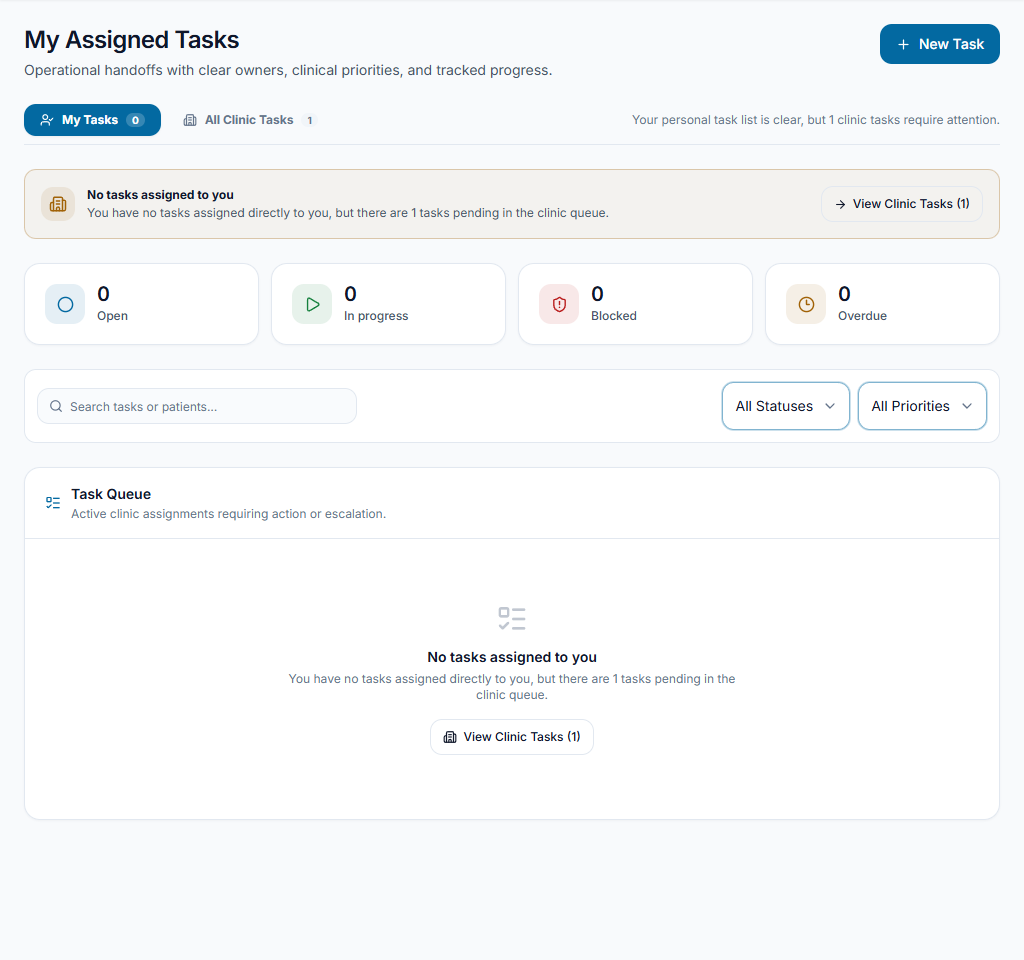
Give outstanding work an owner
Open Tasks and review assigned, blocked and overdue work. Create/assign a task with a clear action and due time where permitted. Update Start/Complete according to actual progress; do not close unfinished work to clear a counter.
Check the result Pending work has an accountable owner and accurate status.
Review the closeout checklist
Open Clinic Day Close for the intended date. Review open visits, unsigned encounters, unresolved no-shows, tasks and cashier shifts. Follow the linked workflows to address each blocker.
Check the result The team knows which items prevent or require attention before closing.
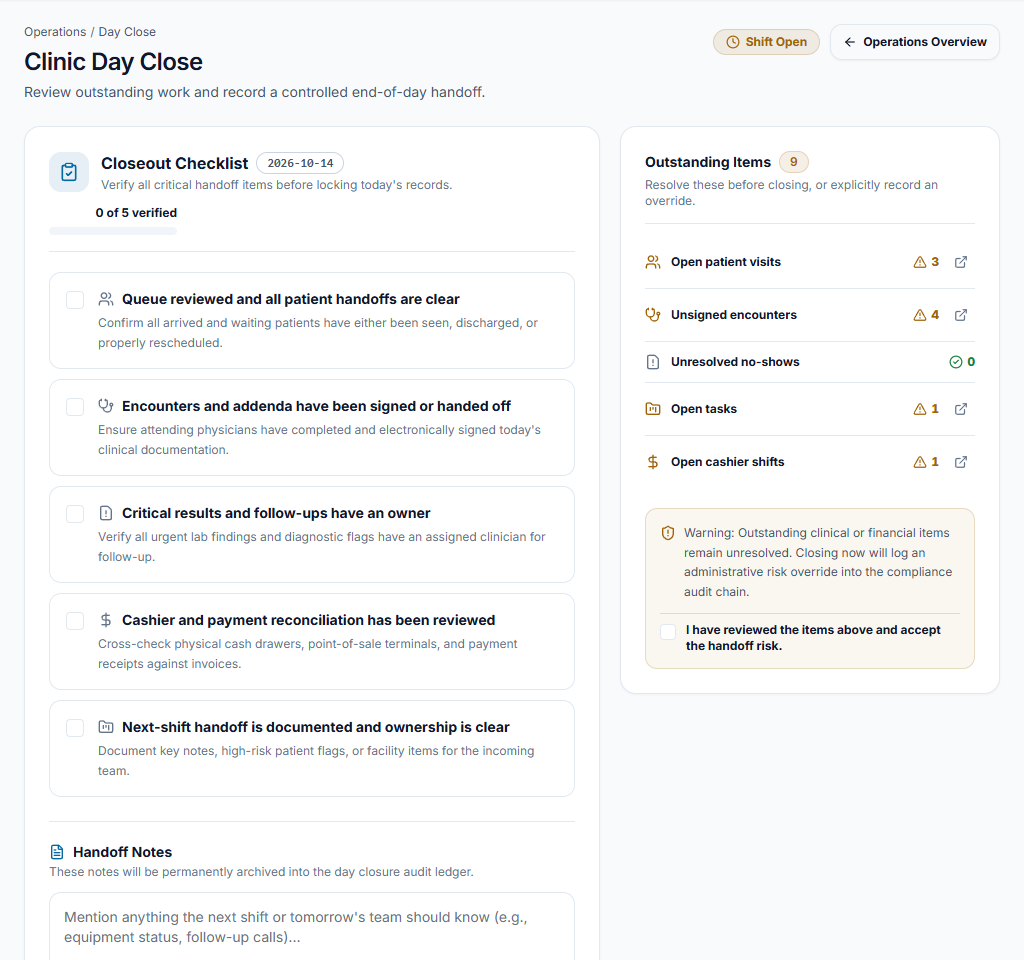
Record the handoff
Reconcile/close cashier shifts separately and resolve required clinical actions with authorized users. Use the day-close confirmation after reviewing the checklist and notes. Operational day close is not a blanket deletion or a substitute for financial-period controls.
Check the result A reviewed closeout/handoff is recorded without hiding unfinished records.
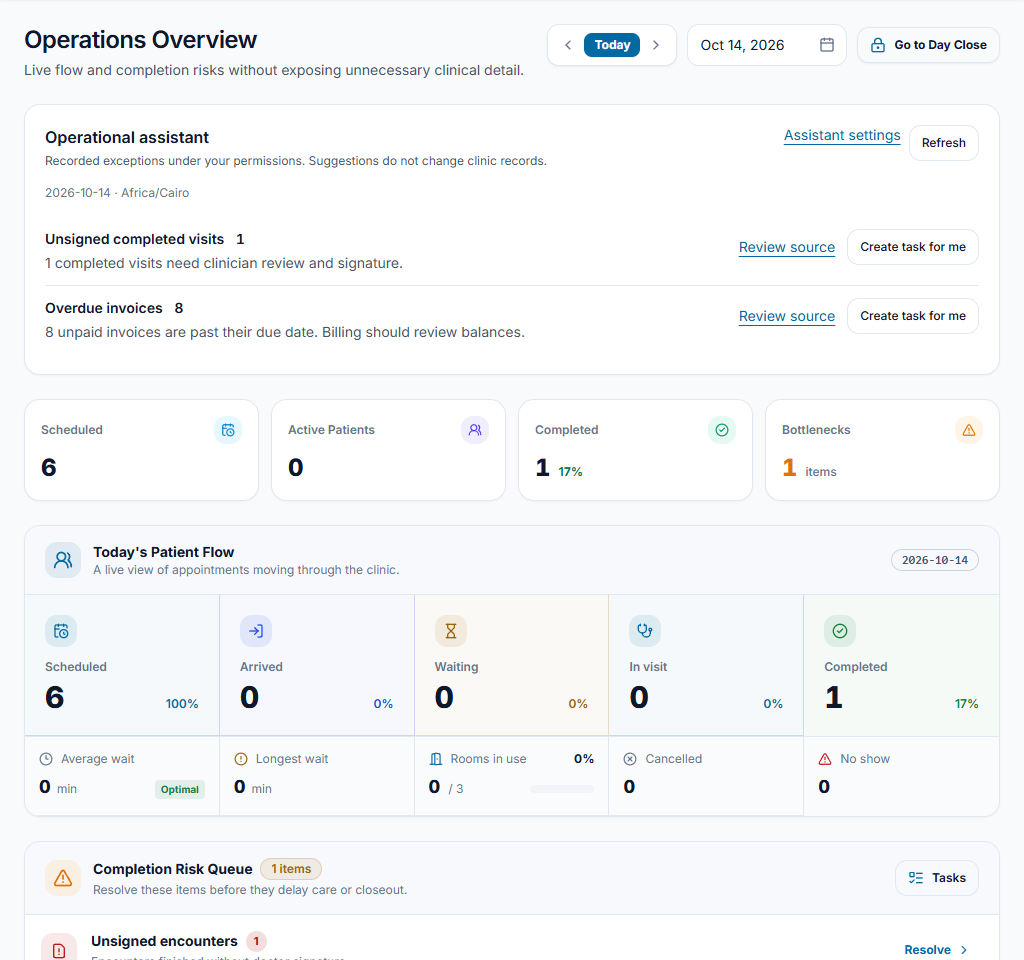
Worked example
A visit needs signing and a drawer is still open. The clinician signs and cashier reconciles before the administrator records day close.
Something not working?
Day close is blocked.
Read the listed blocker and open its source workflow. Do not change clinical or financial statuses merely to make the closeout pass.
The screen or action is unavailable.
Ask the clinic administrator to check your role, individual permissions, clinic context and enabled modules. Do not use another person’s account.
Team checklist
- Pending work has an accountable owner and accurate status.
- The team knows which items prevent or require attention before closing.
- A reviewed closeout/handoff is recorded without hiding unfinished records.