

Record insurance cover and track a claim
Connect the patient's policy, billed services and claim status without assuming insurer payment.
By ClinBeam · Practical product workflow guidance
Complete the steps below and check each recorded result before moving to the next workflow.
Where to work: Insurance → Policies / Claims · Cashier / Clinic administrator
Before you start
- Verified patient policy, insurer details, eligible invoice and claims access.
- The selected clinic and record are correct.
- The module and required actions are available to your account.
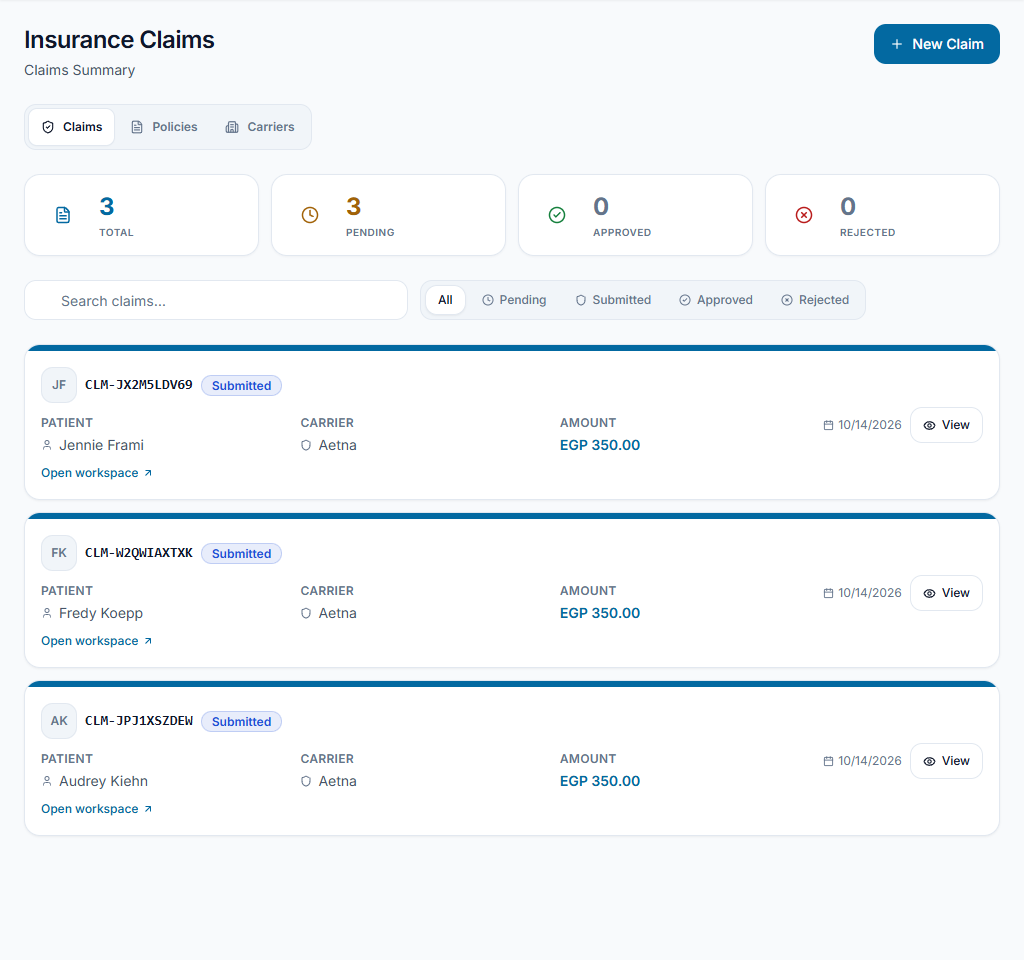
Review the patient's policy
Open Insurance and confirm the patient, carrier, policy details and coverage dates. Correct uncertain details with the responsible billing team; an entered policy does not itself confirm coverage.
Check the result The recorded policy reflects information the team has verified.
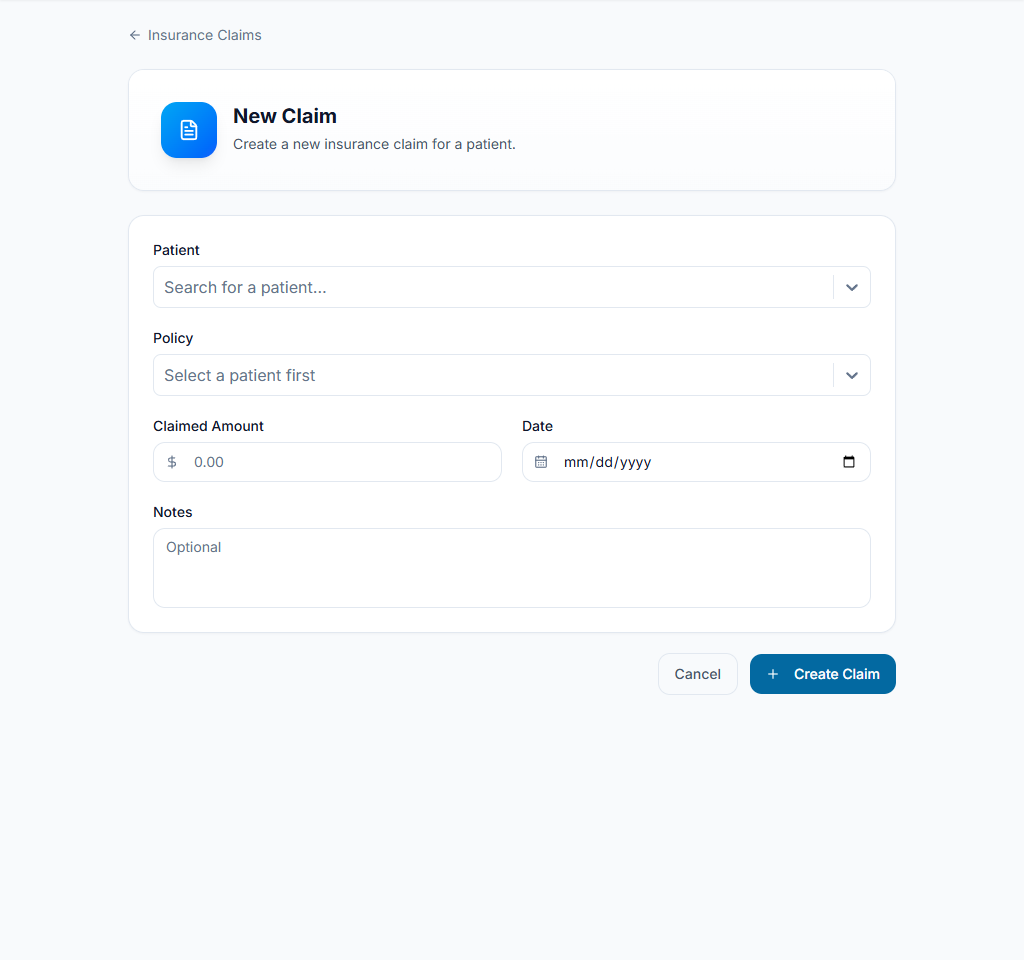
Prepare the claim
Use Create claim or the eligible invoice-to-claim action. Select the patient and policy, review claimed services/amounts and attach required supporting documents. Check the draft before submission.
Check the result The claim references the correct patient, policy and billable source.
Track the real outcome
Open claim details and update through permitted status transitions as insurer responses arrive. Record payment/responsibility in the financial workflow separately. A submitted or approved claim is not proof of received money.
Check the result Claim status and receivable/payment records describe separate real events.
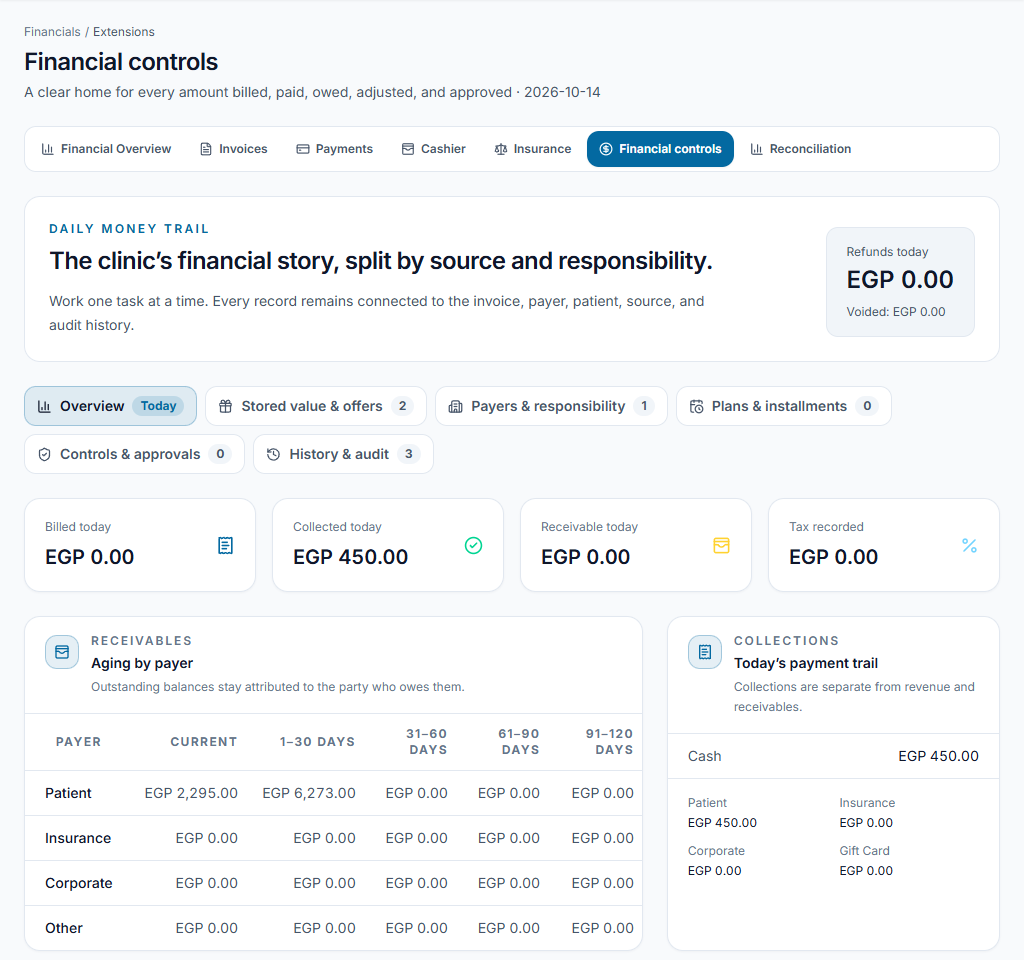
Worked example
A claim is submitted, but the invoice stays outstanding until an actual payment or authorized responsibility change is recorded.
Something not working?
The policy is missing in the claim form.
Select the patient first and check policy ownership, validity and clinic context. Do not attach another patient's policy.
The screen or action is unavailable.
Ask the clinic administrator to check your role, individual permissions, clinic context and enabled modules. Do not use another person’s account.
Team checklist
- The recorded policy reflects information the team has verified.
- The claim references the correct patient, policy and billable source.
- Claim status and receivable/payment records describe separate real events.